A record nobody can quietly rewrite
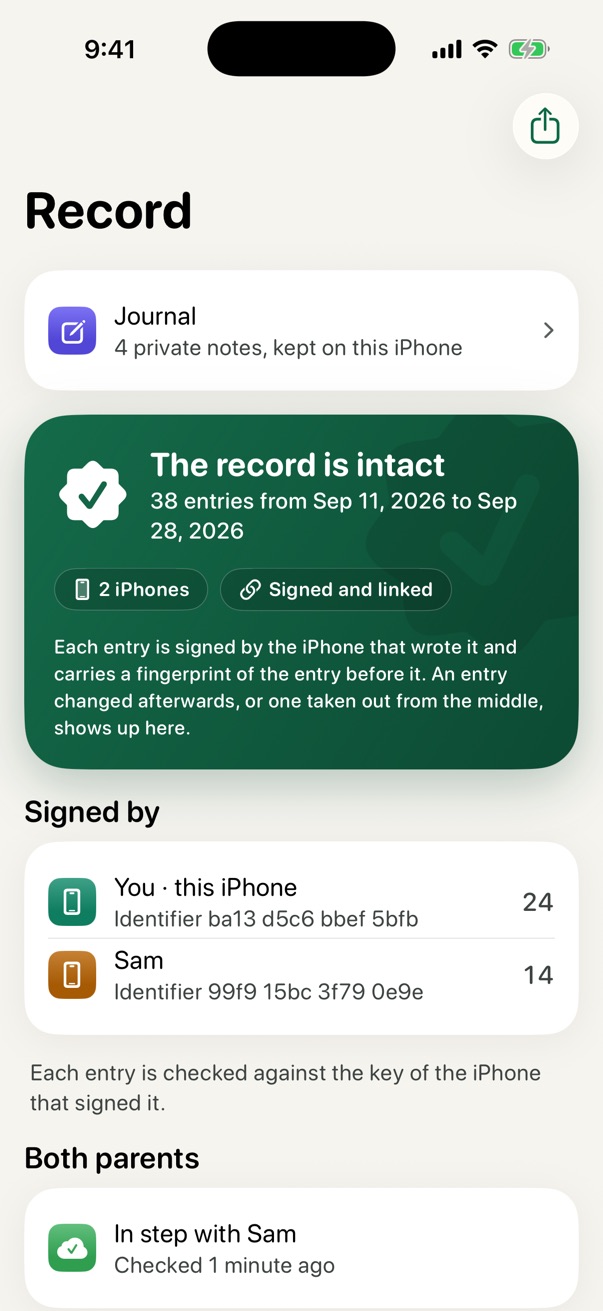
Every entry is signed by the iPhone that wrote it and linked to the one before. Change a word, or take an entry out, and it shows. Not the other parent, not us, not even you.
For parents who share the care of their children
The schedule, the messages and the shared costs of two homes, in one calm record neither of you can quietly rewrite. No account with us, ever: your record lives in your own iCloud.
For iPhone and iPad. Works on your own, better together.
Nothing to sign up for. Nothing about your family passes through us.
Each parent's record is kept in their own iCloud, end-to-end encrypted.
A record nobody can quietly rewrite. Not the other parent, not us, not even you.
Anyone can check a record in their own browser. The file is never uploaded.
Why it is different
Other co-parenting apps ask you to trust their servers. Coparent Ally has none. Each parent's iPhone signs what it writes, and each parent's own iCloud keeps it.
Every entry is signed by the iPhone that wrote it and linked to the one before. Change a word, or take an entry out, and it shows. Not the other parent, not us, not even you.
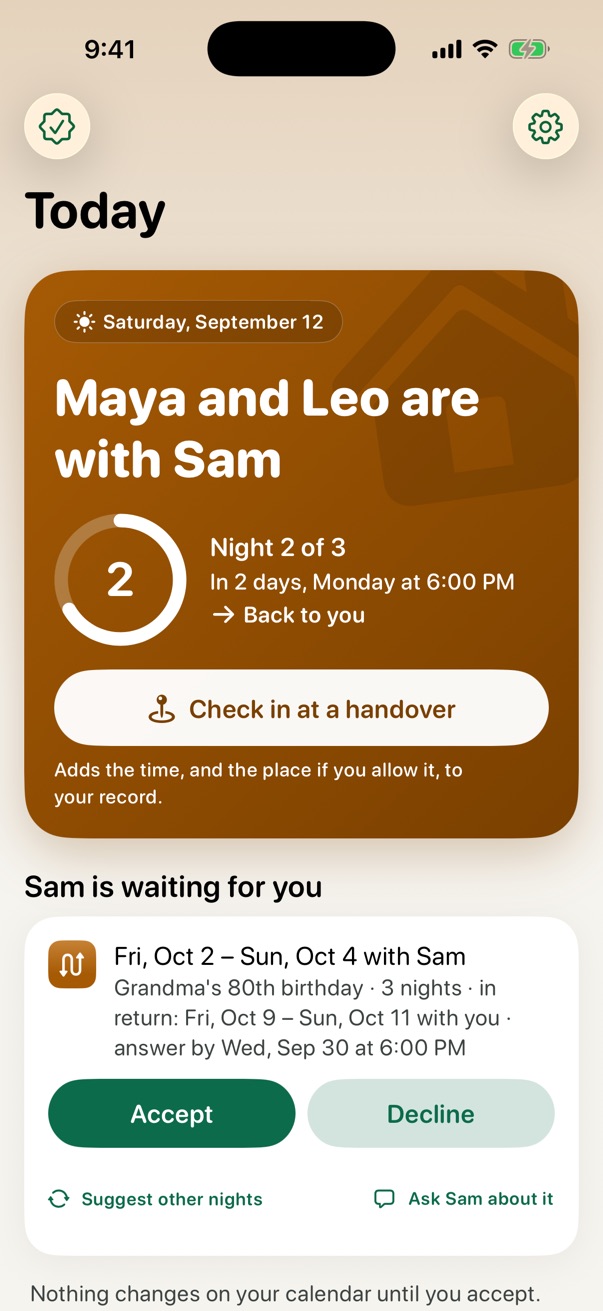
A schedule change or an expense counts only when the other parent's own iPhone answers it. "Seen" is signed by the phone that showed the message.
Apple vouches that each iPhone's signing key was made in the genuine Coparent Ally app. The record and the checker both show it.
Start today, whether or not the other parent joins. When they do, your two records keep in step.
Backups go to your own iCloud automatically. A new iPhone brings the whole record back, and each parent holds a copy of the other's shared entries.
How it works
2-2-3, 2-2-5-5, alternating weeks or your own rotation, the exchange time, and your country's holidays.
Send an iCloud invitation from the share sheet. They join, see your schedule, and accept it in one tap.
Changes, messages and costs reach the other phone within seconds, each one signed. No server of ours in between.
The schedule
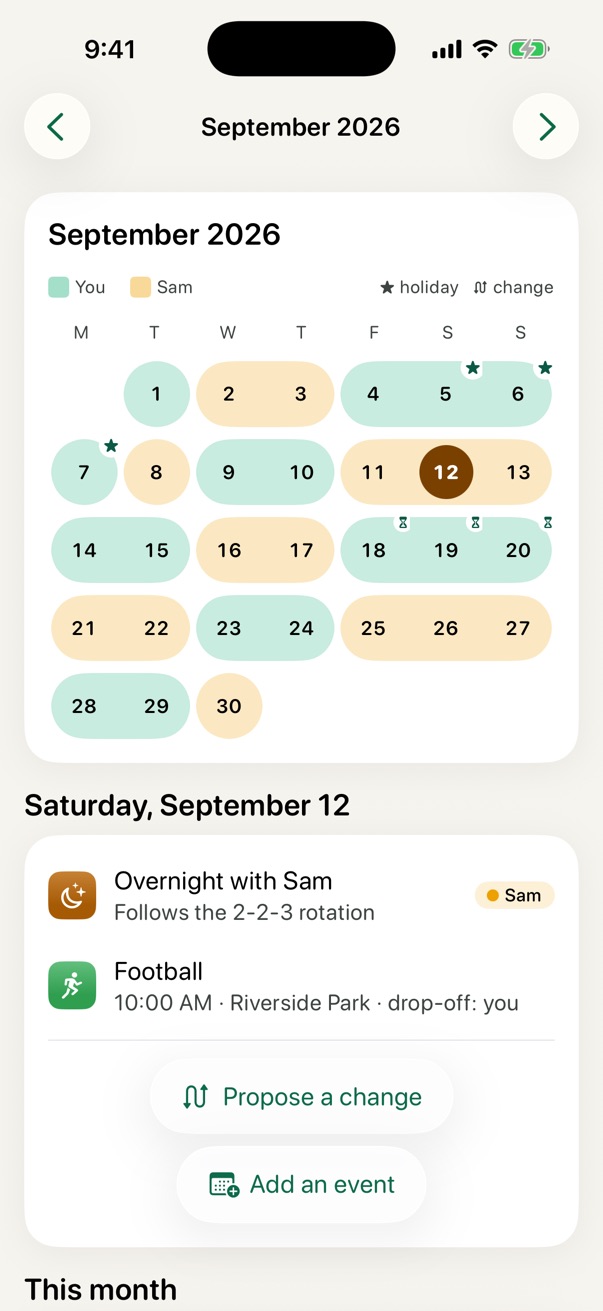
A calendar you both see, with every rotation, alternating holidays and one-off swaps.
Messages
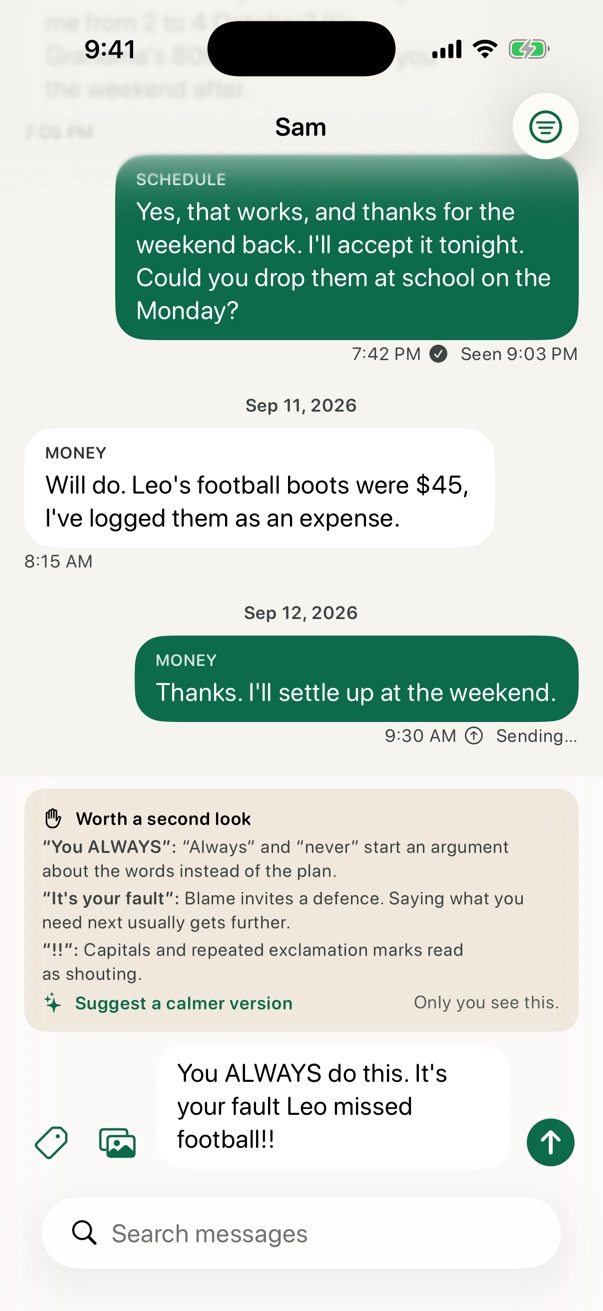
Messages and voice messages are part of the record: they cannot be edited or unsent, and each one shows when it was first seen.
Money
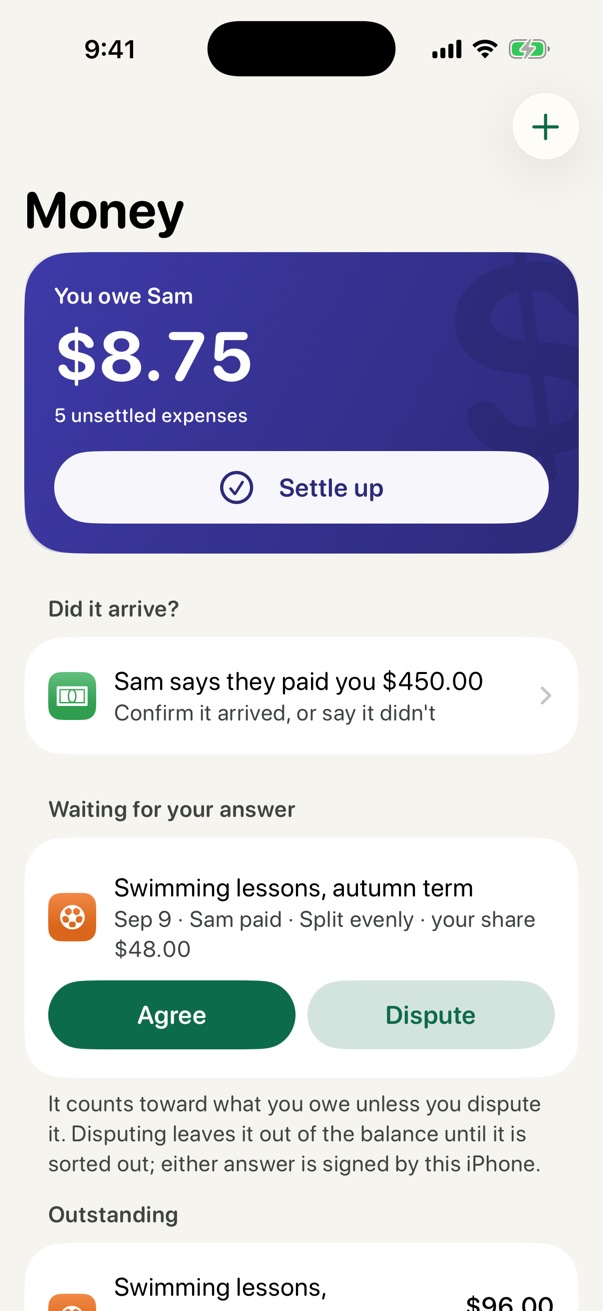
Every shared expense has a receipt, a split and an answer from the other parent: agreed or disputed, never silently changed.
Kids
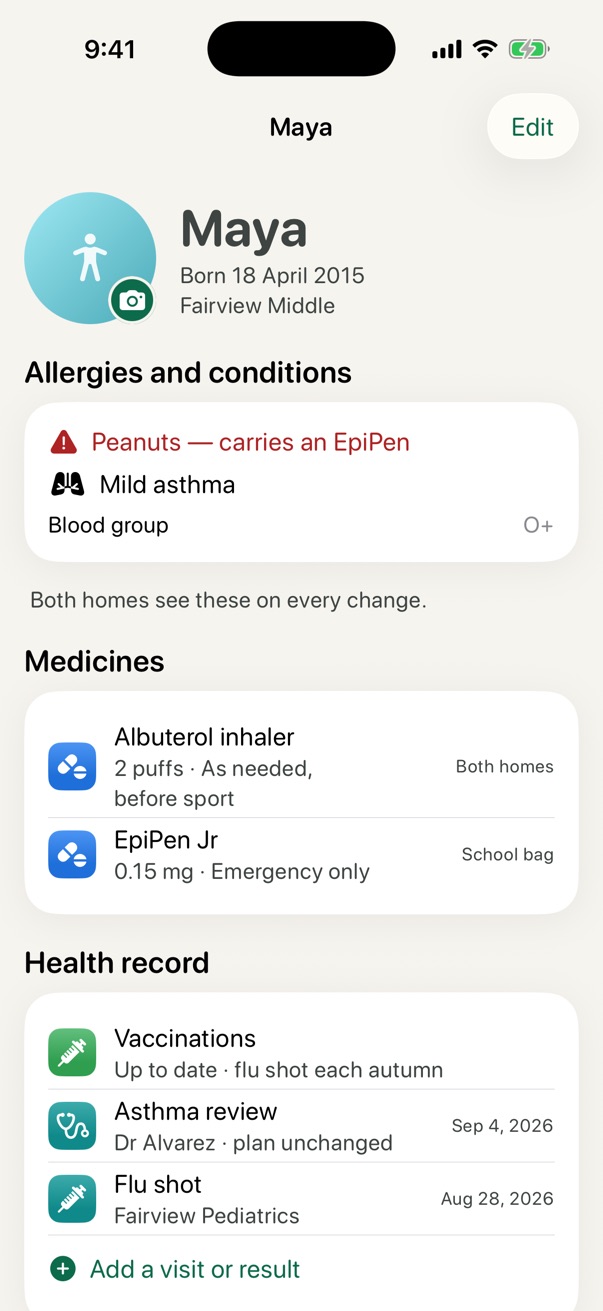
Each child's profile, with their photo, allergies, medicines and which home keeps them, and a health record both of you can add to.
Calls and handovers
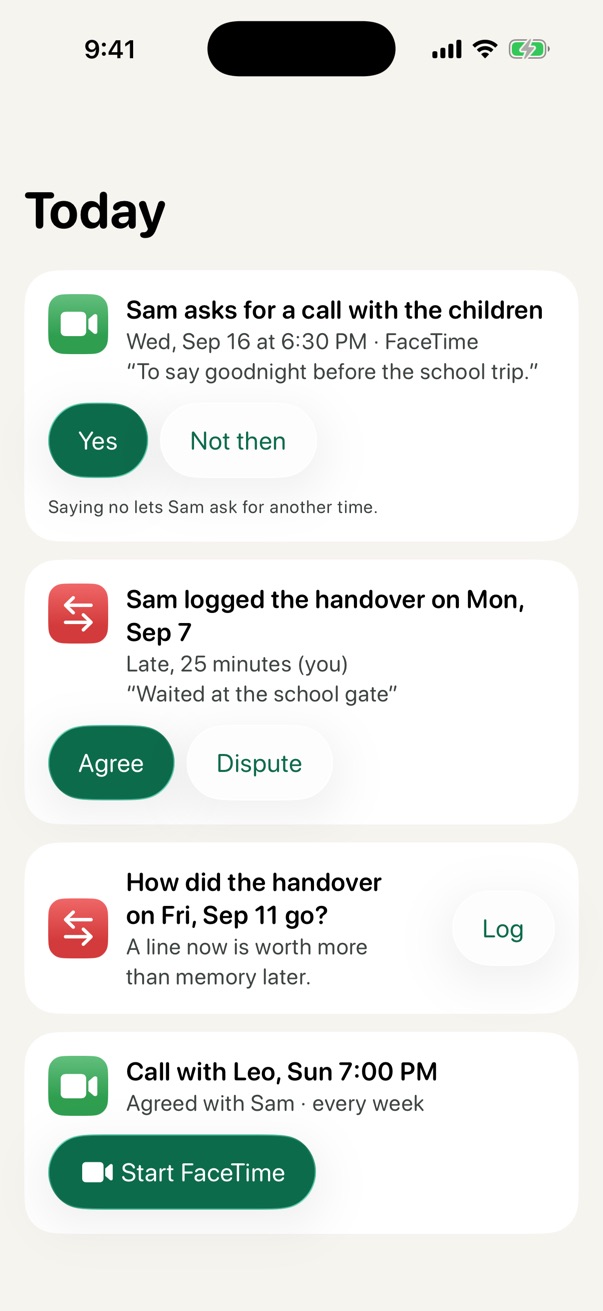
Ask for a call with the children and get a yes or another time; both phones remind you when it's due. After a handover, log how it went, and the other parent agrees or gives their account.
When you need it
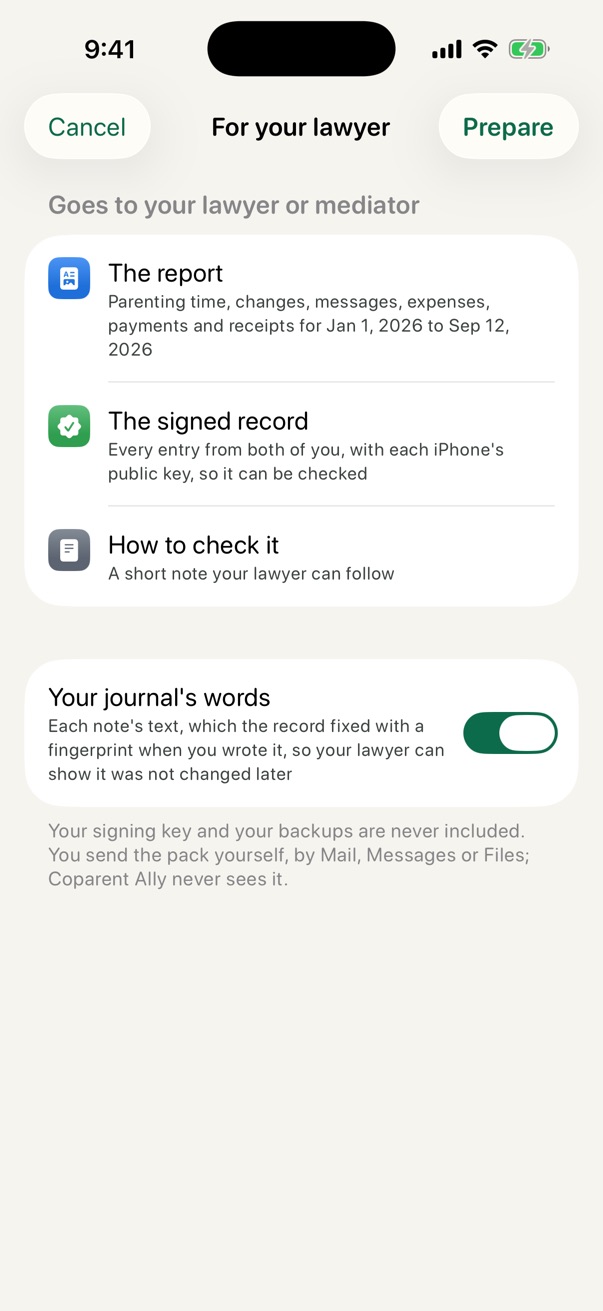
Any dates, as a PDF and spreadsheets: the schedule and what actually happened, overnights, messages, expenses and payments. The signed record goes with it, so anyone can check it.
The record
Nothing is edited or deleted. A mistake is put right with a correction that names it, and both are kept. Here is what that looks like underneath.
Proposed a swap: Fri, Oct 2 – Sun, Oct 4 with Sam
Signed by your iPhonefingerprint 7f3a c21e
Accepted the swap
Signed by Sam's iPhonelinks to 7f3a c21e
Added an expense: football boots, $45, split 50/50
Signed by your iPhonelinks to b41d 09e2
its fingerprint no longer matches the link in the next entry, and the check points to exactly where. Taking an entry out of the middle shows the same way.
Check it yourself
Every entry is as the iPhones wrote it
38 entries from 2 iPhones
| Named | App, per Apple | Entries |
|---|---|---|
| You · ba13 | Genuine | 24 |
| Sam · 99f9 | Genuine | 14 |
Read on this computer. Sent nowhere.
Privacy
There are no Coparent Ally accounts and no servers of ours. What you share with the other parent is kept in each parent's own iCloud, end-to-end encrypted, so neither Apple nor we can read it.
Your home
Their home
Pricing
Everything two parents do day to day is free, for both of them, for good. Pro is for when the record has to do work: reports, the numbers, and the tools around them.
Free for both parents
Your record, your backups and a full copy of your data are free, always. The proof is never behind a paywall.
One purchase covers both parents
$79.99 once, yours for good
or $39.99 a year
US prices. Your App Store shows the price in your country.
Most co-parenting apps charge each parent separately, between about $77 and $350 a year each (US list prices, September 2026). With Coparent Ally, a family pays nothing, or $39.99 a year for both of you.
For lawyers, mediators and parenting coordinators
Every pack a parent sends you includes the signed record and the steps to check it. Open it at coparentally.com/verify: the check runs in your own browser, and the page cannot connect anywhere. We can give you codes for Pro to pass on to the families you work with.
No. It works fully on your own: the schedule, costs, journal and your own signed record. When they join, your two records keep in step, and changes need both of you.
We can't promise that; no app honestly can, and courts decide what they accept. What we can say is that the record is tamper-evident and anyone can check it, and the report says plainly what it is. Coparent Ally is not affiliated with any court and doesn't give legal advice.
Your latest backup is in your own iCloud. Sign in on the new iPhone, open the app, and choose "Restore my record". The new iPhone gets its own signing key; your earlier entries keep theirs.
Not yet. The record lives in each parent's iCloud, so for now both parents need an iPhone or iPad to share it. A parent on Android can still receive the reports you send.
Yes. "Delete everything" in Settings removes it from your iPhone and, if you choose, from your backup folder. The copy in your iCloud can be removed in iPhone Settings, under your name, iCloud. What you already shared stays with the other parent, as a message sent on any app would.
Either parent. One purchase unlocks Pro on both phones, and the other parent never needs to pay for anything.

Free for both parents. No account. Your own iCloud.